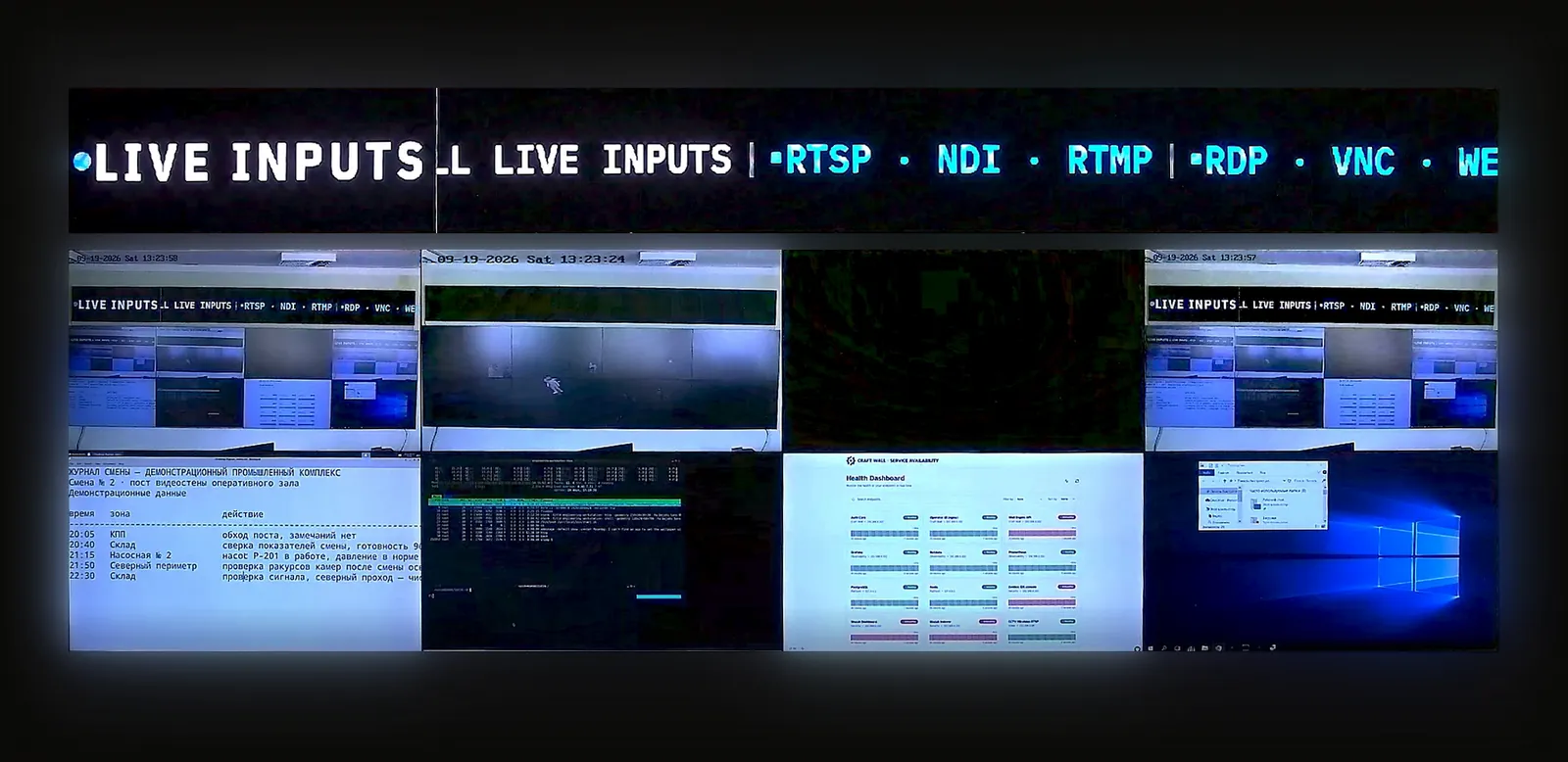
Большая часть маркетинга «видеостена для диспетчерской» — это сток-фотография операторов перед экранами. Реальный инженерный вопрос — уже и интереснее: какие источники идут на стену, как операторы взаимодействуют с ними между сменами, что происходит, когда стена сама падает, и как всё это интегрируется с десятком инструментов, которые команда NOC уже использует ежедневно. В статье — конкретная референсная архитектура для NOC телеком-оператора с режимом 24/7: микс источников, операторские паттерны, отказоустойчивость, интеграция с инструментарием и BOM.
NOC видеостена: что входит в референсную архитектуру
NOC видеостена — это не просто большой экран в центре сетевых операций. Это shared operational canvas: NMS-дашборды, Grafana, SIEM, CCTV, KVM, тикеты и incident-board на одной стене, с управлением из браузера и сохранением сцен для смен. Для запроса «видеостена для NOC» правильный ответ начинается не с диагонали панелей, а с вопроса: какие источники критичны в обычном режиме, какие появляются только во время аварии и как стена переживёт отказ источника, сервера или панели.
NOC видеостена: чеклист закупки для диспетчерской 24/7
Для закупки NOC видеостены полезнее считать не диагонали, а рабочую нагрузку смены. В ТЗ должны быть перечислены постоянные и аварийные источники, роли операторов, правила переключения сцен, требования к аудиту и поведение системы при сбое Grafana, RTSP-потока, IP-KVM-сессии или контроллера.
- Источник и приоритет. Какие NMS, SIEM, CCTV, ticketing и escalation-board должны оставаться видимыми одновременно.
- Управление сменой. Кто меняет сцену, кто добавляет источник, кто подтверждает аварийную раскладку и где хранится журнал действий.
- Отказоустойчивость. Что происходит при потере источника, перезапуске браузера, отказе GPU-сервера или сетевого сегмента.
- Экономика. Сравнивайте аппаратный видеопроцессор и программный контроллер видеостены через TCO видеостены, а не только через цену шасси.
Чем NOC-стена отличается от любой другой
Стена в переговорной и стена в NOC решают противоположные задачи. Стена в переговорной показывает отрепетированный контент пассивной аудитории на конечное событие. Стена в NOC — непрерывно обновляющееся операционное состояние небольшой ротирующейся команде, которая взаимодействует с ней годами. Из этой разницы вытекают четыре инженерных следствия.
- Число источников больше и оно динамичное. Типичный Tier-2-телеком-NOC держит на пике 16-30 различных источников. Микс меняется во время инцидентов: обычно скрытая Splunk-панель становится критичной на 90 минут, потом исчезает. Стена обязана впитать эту динамику без перекоммутации.
- Взаимодействие оператора — постоянное, но лёгкое. Стену в переговорной контролирует максимум один докладчик. NOC-стену трогает каждый оператор смены — обычно через клавиатуру рабочей станции, не планшет. Управление стеной должно ощущаться как ещё одна вкладка в инструменте оператора, а не отдельный поход к выделенной консоли.
- Отказоустойчивость не подлежит обсуждению. NOC-стена, которая темнеет во время инцидента, хуже, чем отсутствие стены: оператор остаётся без fallback в момент наивысшего клиентского влияния. Архитектурные решения каскадятся из этого ограничения.
- Аудит-trail важнее, чем в любом другом развёртывании. Когда клиентский ops разбирает пост-инцидент, «что было на стене в 02:47:13» — это разница между подотчётным временем реакции и перекладыванием ответственности. Стена должна журналировать своё состояние, не только источники, которые она транслировала.
Микс источников в реальном телеком-NOC
Референсное развёртывание, которое мы используем как baseline — физическая стена 16 дисплеев (4 × 4, mid-format LCD или fine-pitch dvLED) — со следующим типичным миксом источников:
- 4-6 дашбордов NMS — SolarWinds Orion, PRTG Network Monitor, Zabbix или специфичные для вендора (Cisco DNA Center, Juniper Mist). Обычно отдаются как браузерный источник — стена рендерит live-URL дашборда напрямую, без скриншот-инструментов.
- 3-4 панели Grafana — графики пропускной способности, задержки, потерь пакетов, утилизации инфраструктуры. Public-display playlists с автообновлением — канонический способ их подавать.
- 2-3 потока тревог / SIEM — Splunk Enterprise Security или Sentinel для киберсобытий, плюс традиционная консоль fault-management.
- 2-4 CCTV / камеры периметра — фиды физической безопасности обычно приходят как NDI или RTSP. Интеграции Genetec / Milestone обычно живут здесь.
- 1-2 KVM-проброса в операторские рабочие станции — когда старший инженер хочет расшарить конкретное окно инструмента (консоль файрвола, IPAM, тикет-система) на общую стену. IP-KVM — чистый путь; HDMI-захват — legacy.
- 1 плитка incident-board — статическая или медленно обновляющаяся панель с текущими тикетами высокой severity, заметками передачи смены, ротацией дежурств.
Сумма: 13-20 активных источников в режиме холостого хода, пики до 30 во время крупных инцидентов, когда оператор подключает дополнительные фиды. Правильно спроектированная стена впитывает пик без операционного налога — добавить источник — это несколько кликов в управлении стеной, а не прокладка кабеля.
Операторские паттерны
Три паттерна доминируют в том, как операторы реально используют стену в повседневной работе.
Паттерн 1 — Дежурство
Дефолтный вид на всю смену. Стена показывает baseline-раскладку — NMS в центре, Grafana сверху, SIEM внизу-слева, CCTV внизу-справа. Операторы периодически поднимают взгляд; стена окупает себя тем, что мгновенно читаема с любого места в зале.
Паттерн 2 — Фокус на инциденте
Обнаружено крупное событие. Один из операторов выдвигает релевантный источник на крупную центральную плитку, приглушает окружающие панели — и стена становится общим слоем ситуационной осведомлённости для остальной команды реагирования. Несколько операторов могут вносить изменения: добавить свежую панель Grafana с затронутым сервисом, пробросить терминальную сессию через KVM, вывести тикет. Здесь обещание «браузерного управления» реально окупается — каждый оператор может менять стену со своей клавиатуры.
Паттерн 3 — Передача смены
Смена меняется. Заступающей команде нужно быстро впитать контекст. Хорошо спроектированная стена несёт состояние передачи: записанный лог смены на одной плитке, запинированный incident-board на другой, «open items» из тикет-системы на третьей. Это один из недооценённых выигрышей software-defined-стен: раскладка может быть именованной сценой, на которую уходящая команда переключается в конце смены.
Архитектура отказоустойчивости
24/7 NOC-стена имеет три очевидных режима отказа и четвёртый, который большинство архитектур пропускают.
- Падает контроллер стены. Стандартный ответ: hot-spare-контроллер в N+1 с общим хранилищем конфигурации источников. Время переключения измеряется при приёмочных испытаниях на согласованной конфигурации.
- Падает один из дисплеев. Современные дисплеи предупреждают до полного отказа; ПО управления стеной должно поддерживать пометку плитки как offline и перетекание раскладки вокруг «дыры», пока не приедет запасной. Стена, оставляющая чёрный прямоугольник в 02:00 из-за одной панели — это стена, которой операторы перестали доверять в 02:01.
- Падает сеть до источника. Соответствующая плитка показывает последний кадр на конфигурируемое время ожидания, затем визуально помечает себя как «устарел» — не чёрная, не закешированный кадр, маскирующийся под live. Оператор должен видеть с первого взгляда, что данные на этой панели больше не актуальны.
- Падает само UI управления стеной, в то время как стена продолжает работать. Это недооценённый режим отказа. Если операторы не могут достучаться до управляющего интерфейса во время инцидента — они не могут переключать источники, менять раскладки, выводить нужный контекст. Стена продолжает показывать то, что показывала — иногда это хуже, чем ничего. Решение: резервирование плоскости управления на том же уровне N+1, что и композер.
Интеграция со стеком NOC
Стена — это один экран в NOC, где уже есть пятнадцать других инструментов. Паттерны интеграции, которые реально работают в 2026:
- PRTG, SolarWinds, Zabbix — public-display URL с token-based аутентификацией, обновление каждые 30-60 секунд. Стена рендерит дашборд как браузерный источник.
- Grafana — kiosk-mode URL с anonymous-org-токенами. Тот же паттерн браузерного источника, с дополнительным трюком — использовать Grafana playlists для ротации нескольких панелей на одной плитке.
- Splunk Enterprise Security / Sentinel — оба отдают kiosk-mode дашборды. У Splunk есть real-time-режимы просмотра, которые естественно работают как плитки на стене.
- Genetec Security Center, Milestone XProtect — интегрируются либо как RTSP-фиды (наиболее гибко), либо через собственный плагин «video wall» VMS (привязано к семейству VMS, но плотнее интегрировано с alarm-системой). RTSP — более чистый долгосрочный ответ.
- Тикет-системы (Jira Service Management, ServiceNow, Zendesk) — встроенные dashboard-views. Плитка «открытые priority-1-инциденты» обычно является сохранённым фильтром, отрендеренным в собственном веб-UI тикет-системы.
- SIP / Teams / Zoom конференц-связь — для распределённых NOC активный конференц-мост часто становится постоянной плиткой во время крупных инцидентов. Браузерные call-клиенты обрабатывают это без дополнительного «железа».
BOM и 5-летний TCO
Применяя математику из статьи о разборе TCO к этому конкретному NOC на 16 дисплеев:
- 16 дисплеев: €32 000-48 000 на LCD-панели или €60 000-120 000 на fine-pitch dvLED в зависимости от шага пикселя и бренда. Одинаково на программной и аппаратной архитектуре — дисплеи не являются дифференциатором.
- Программно-определяемая стена (референс Craft Wall): €2 500 бессрочная лицензия + €3 500 основной сервер (Ryzen 7 + RTX 4070 + 64 ГБ RAM) + €3 000 hot-spare-сервер в N+1 + €1 500 KVM-over-IP конечные устройства на двух операторских станциях. Год 0: ≈ €10 500. Годы 1-5 ongoing: ≈ €1 500/год на обновление commodity-«железа». 5-летний TCO без дисплеев: ≈ €18 000.
- Стена с аппаратным контроллером (референс Datapath / Matrox / Barco): €15 000-25 000 контроллер, €6 000 карт захвата на 16 источников, €3 000 hot-spare, €4 500/год support-контракт. Refresh на 3-м году на EOL'd-компонент: +€10 000-15 000. 5-летний TCO без дисплеев: ≈ €56 500-71 500.
TCO-инверсия — примерно 3-4× в пользу программного стека для этой формы развёртывания. Общий article-level-результат подтверждается на конкретном уровне проекта.
Где Craft Wall размещается в сборке NOC
Референсное развёртывание выше — канонический use-case Craft Wall. Микс источников (NMS, Grafana, SIEM, CCTV, KVM, браузер-рендеры дашбордов), операторский workflow (браузерное управление, именованные сцены, несколько операторов одновременно), модель отказоустойчивости (N+1 на commodity Linux, перетекание раскладки вокруг упавших панелей) — всё чисто ложится на архитектуру Craft Wall. Ценовая точка существенно ниже аппаратно-контроллерных альтернатив и подписочных альтернатив на дисплей. Для Tier-2-телекома или multi-site MSP, поднимающего новую NOC-стену в 2026 году — это самое чистое совпадение на рынке.
Это не правильный выбор для каждого NOC. Tier-1-операторам с sub-frame-задержкой на операторском KVM, объектам ОПК с тендерными требованиями к FPGA-«железу», и закупкам с горизонтом поддержки 15-20 лет стоит оценивать Barco CTRL, WEY smartVISUAL или другие Tier-1-аппаратные опции рядом с software-defined-маршрутом.
Читать дальше: разбор TCO для подробной математики BOM, IPMX vs ST 2110 vs SDVoE для транспортного вопроса AV-over-IP, и интерактивный TCO-калькулятор для вашего конкретного числа источников / дисплеев / операторов.