In short
A boardroom video wall is useful when a meeting needs several readable views at once: a presentation, remote participants, business dashboards and supporting material. Specify those room modes and their input paths before choosing the display size or software.
A boardroom video wall connection plan
| Meeting source | Example path to the wall | Check in the room |
|---|---|---|
| Presenter's laptop | Video output → compatible capture card → controller | Adapter, capture resolution, frame rate and protected-content restrictions |
| Teams or Zoom meeting | Meeting room PC/codec output → capture path → wall | Separate participant/content outputs if needed; no implied native service integration |
| Business dashboards | Dashboard URL → controller browser source | Authentication, refresh, confidential data and session expiry |
| Supporting desktop | Supported RDP/VNC connection → controller | Network policy, permissions and whether interaction is required |
| Display surface | GPU outputs → LCD panels or LED processor | Mapping, refresh rate and text size at the furthest seat |
Keep conferencing audio, microphones, echo cancellation and meeting control in the conferencing system. Composing its video output onto a wall does not make Craft Wall a Teams Rooms or Zoom Rooms appliance. Validate the chosen PC or codec's output behaviour and any HDCP restrictions with the actual hardware.
Example layouts for three meeting modes
- Board meeting: presentation across the main area, remote participants beside it, one dashboard retained as context.
- Executive briefing: three dashboard windows and a supporting desktop; enlarge a chart when it is being discussed.
- Incident briefing: incident overview in the main area, service status and remote participants still visible.
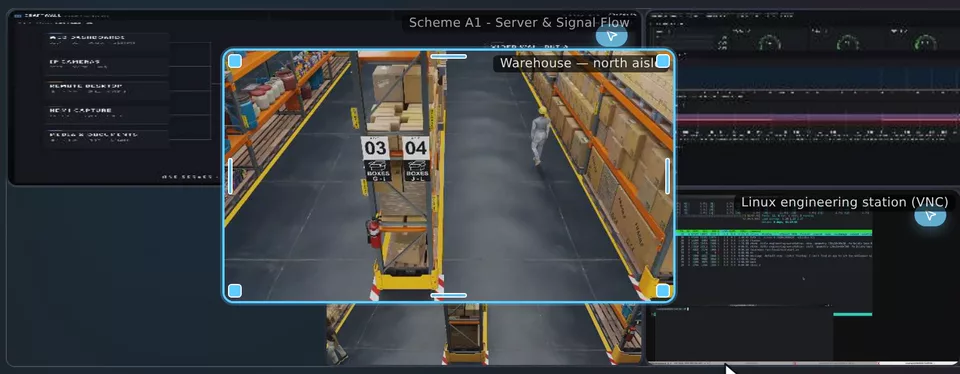
These are design examples. Save the scenes with the room's own naming convention and agree who controls transitions. The recording on this page shows a real window being moved and resized in the Craft Wall console while the physical stand follows. It demonstrates layout editing, not a customer boardroom installation or conferencing certification.
What to test with the meeting team
- Bring a typical presentation and dashboard. Read their smallest necessary text from the furthest seat; check how bezels cross important content.
- Connect the actual meeting PC or codec. Switch between shared content and participants and confirm what reaches the capture inputs.
- Run all expected sources together and switch saved scenes. Record the server, GPU, source formats and display map.
- Disconnect a test input and restore it. Check the behaviour of the remaining views and whether the presenter can recover without rebuilding the layout.
- End the meeting and check that confidential dashboards and documents are no longer exposed to the next room user.
When software wall control fits
Craft Wall is suited to evaluating multiple live sources, saved scenes and browser-based control on a Linux/NVIDIA server. If the requirement is one full-screen laptop image with ordinary conferencing, a standard display and AV switcher may meet it. Use the room workflow to choose the system.
For a larger wall, display count is only one sizing input. Total output pixels, number and format of live sources, and capture hardware determine the configuration. See scenes and layouts, source support and the sizing calculator.
Cost and responsibility
The Craft Wall software licence is €2,500 per server, perpetual. Budget the controller, capture devices, displays, conferencing equipment, installation and support separately. Agree which supplier owns each part of the signal path so that a meeting-room fault has a clear escalation route.
Use the five-year cost calculator for budgeting. If the room will run continuous operational monitoring, also review the NOC reference architecture.