Коротко
Проект расчёта видеостены должен начинаться с числа источников видеостены, а не с марки панелей. Сосчитайте дашборды, камеры, KVM-сессии, карты, доски инцидентов, веб-приложения, потоки HDMI-захвата и резервные компоновки, которые нужны операторам во время реального события. Число дисплеев — следующий шаг: 8 дисплеев, 16 дисплеев, видеостена на 64 дисплея и видеостена 8K означают совершенно разное, как только в расчёт входят набор источников, разрешение холста и рабочий процесс оператора.
Расчёт видеостены: начинайте с источников, а не с панелей
Типичная ошибка — рассчитывать стену как «N панелей с контроллером». Для digital signage это работает, но для диспетчерской это недоспецификация. NOC, SOC, диспетчерская энергетики или командный центр ограничены числом действующих систем, которые должны оставаться видимыми одновременно, частотой, с которой операторы выводят источник на крупный план, и тем, должен ли отказавший источник деградировать локально или нарушить весь холст.
Начните лист расчёта с классов источников: браузерные дашборды, камеры RTSP / NDI, HDMI-захват, IP-KVM, VNC / RDP, статичные медиа, карты ГИС, панели SIEM, сводки SCADA, очереди заявок и резервные страницы статуса. Затем отметьте каждый источник как постоянно активный, только для инцидентов, резервный или выводимый на крупный план. Это простое разделение делает план оборудования надёжнее, чем одно лишь число дисплеев.
Число источников видеостены: активные, резервные и выводимые на крупный план
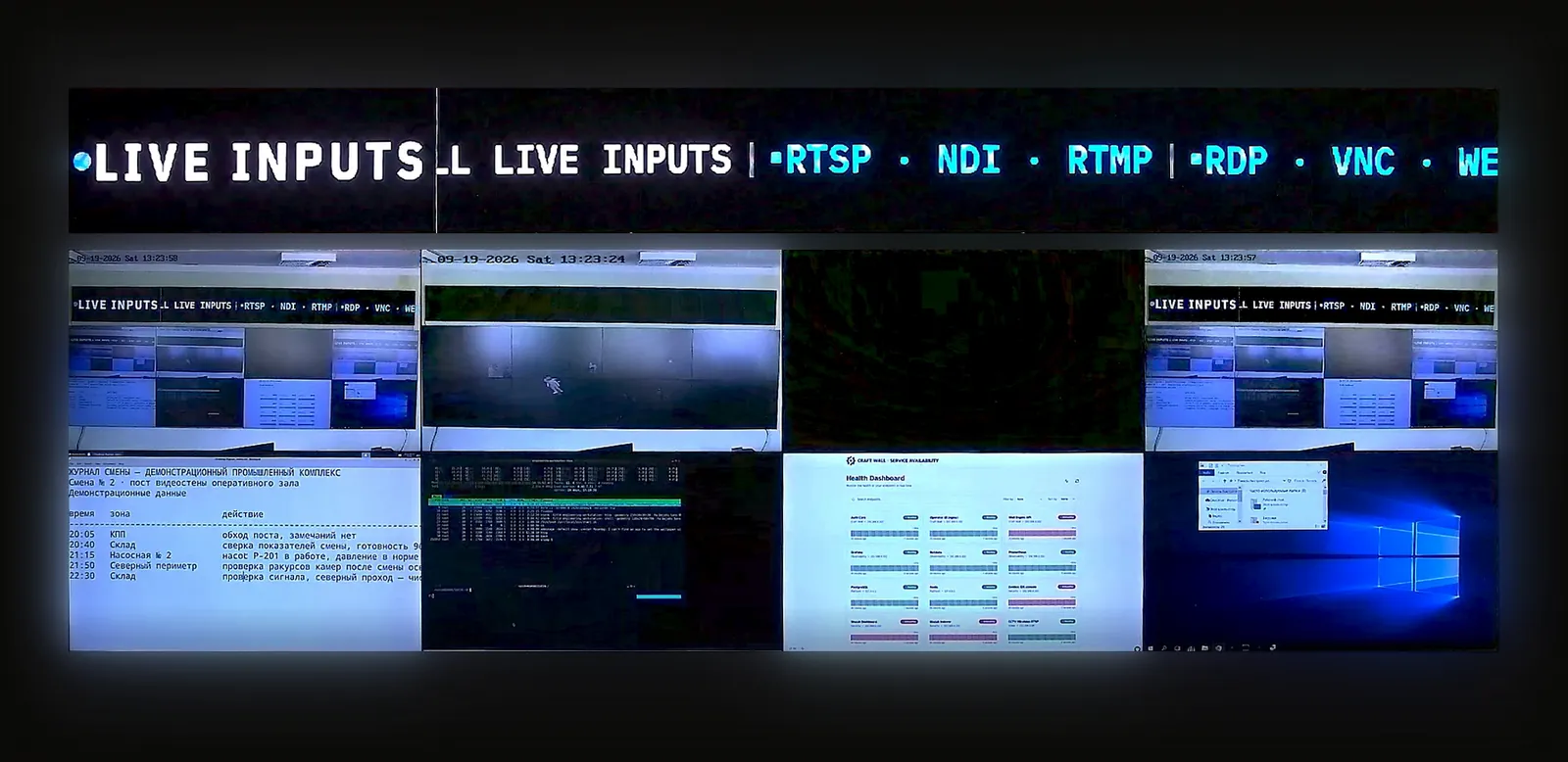
Число источников видеостены — это не просто количество кабелей, воткнутых в контроллер. В программно-определяемой стене это количество логических источников, которые платформа должна аутентифицировать, отрисовывать, обновлять, переключать, журналировать и восстанавливать. Стена на 16 дисплеев может показывать 14 источников в спокойной компоновке, иметь 26 источников, заданных в пресетах, и 40 источников, доступных операторам во время инцидента.
- Постоянно активные источники: дашборды мониторинга, очереди тревог, мозаики камер и виды единой оперативной картины, которые остаются на стене в течение всей смены.
- Резервные источники: резервные камеры, компоновки для учений, слайды брифингов, страницы статуса или альтернативные дашборды, которые должны быть готовы без перестройки зала.
- Источники, выводимые на крупный план: виды инцидентов, KVM-сессии, перехваты пакетов, карты аварий или поисковые запросы SIEM, которые на короткое время разворачиваются крупно, а затем покидают холст.
Для залов NOC сопутствующая эталонная архитектура видеостены для NOC сопоставляет это с Grafana, Splunk, SolarWinds, CCTV и IP-KVM. Для залов безопасности используйте руководство по видеостене для SOC и SIEM. Для залов с интенсивным использованием SCADA используйте руководство по стене диспетчерской энергетики.
8 дисплеев, 16 дисплеев и 64 дисплея
Число дисплеев меняет инженерную задачу, но не линейно. Переход с 8 на 16 дисплеев обычно касается читаемости для оператора и плотности источников. Переход к видеостене на 64 дисплея касается управления (governance): несколько зон, именованные пресеты, роли операторов, владение источниками и процедура обновления.
| Размер стены | Типичный вопрос планирования источников | Риск для проверки |
|---|---|---|
| 8 дисплеев | Какие 8-12 источников должны оставаться читаемыми из операторского ряда? | Избыточная закупка контроллерного оборудования для зала, который в основном отрисовывает веб-дашборды. |
| 16 дисплеев | Какие 20-30 заданных источников нужно сгруппировать в пресеты смены, инцидента и брифинга? | Отношение к выводу источника на крупный план как к задаче AV, а не как к рабочему процессу оператора. |
| 64 дисплея | Какие зоны, роли и правила владения не дают одной команде сломать участок стены другой команды? | Когда число дисплеев скрывает ограничения по источникам, аутентификации, сети и GPU. |
Для оценки затрат смоделируйте каждое число дисплеев в калькуляторе TCO видеостены прежде чем фиксировать спецификацию оборудования. Один и тот же зал на 16 панелей может стоить очень по-разному в виде аппаратного контроллера, подписки за дисплей или локальной программно-определяемой стены.
Видеостена 8K: разрешение холста и разрешение источника
Требование видеостены 8K следует формулировать аккуратно. Оно может означать физический холст 8K, один источник 8K, несколько дашбордов 4K, размещённых по области 8K, или ожидание оператора, что мелкий текст останется читаемым на расстоянии. Это разные технические требования.
Для диспетчерских практический вопрос обычно состоит в композиции холста: сколько браузерных дашбордов, потоков камер, карт и окон KVM может отрисовать стена, сохраняя разборчивость текста? Холст 8K не требует, чтобы каждый источник был 8K. Но он требует чётких правил масштабирования, частоты обновления, приоритета источников и того, где детализированные виды выводятся на крупный план во время инцидента.
Транспорт источников и последствия для сервера
Транспорт источников определяет форму сервера. Браузерные дашборды нагружают CPU, память, аутентификацию и жизненный цикл браузера. Потоки камер RTSP и NDI нагружают тракты декодирования и пропускную способность сети. HDMI-захват добавляет количество плат, планирование слотов, прокладку кабелей и резервирование сигнала. IP-KVM добавляет безопасность и контроль доступа. AV-over-IP добавляет проектирование сети и правила multicast.
Именно здесь программно-определяемая архитектура меняет разговор о расчёте. Вместо покупки устройств с фиксированным числом входов заказчик подбирает Linux-сервер с GPU, платы захвата там, где они нужны, сетевые порты, хранилище под журналы и пресеты, а также операционный процесс добавления источников. Если зал режимный, дополните это руководством по видеостене с воздушным зазором.
Полезные справочные определения: AV-over-IP, IP-KVM, NDI и dvLED.
Спецификация требований к видеостене
Сильная спецификация требований к видеостене превращает расчёт в проверяемый язык. Она должна задавать число дисплеев, физическую компоновку, разрешение холста, число источников, классы источников, бюджет активных источников, бюджет резервных источников, поведение источников, выводимых на крупный план, роли операторов, журналы аудита, поведение при отказе, поддерживаемые транспорты и горизонт TCO.
- «Стена должна поддерживать не менее 24 заданных источников, из которых 16 видимы одновременно, а 8 резервных источников доступны в именованных пресетах.»
- «Операторы должны иметь возможность вывести источник на крупный план, восстановить пресет и восстановить отказавший дашборд из браузерного интерфейса без прав администратора AV.»
- «Система должна поддерживать браузерные дашборды, видео RTSP или NDI, HDMI-захват там, где это требуется, и удалённые рабочие столы (RDP / VNC) для утверждённых рабочих станций операторов.»
- «Поставщик должен рассчитать стоимость того же зала на 5 лет, включая лицензию, поддержку, серверное оборудование, оборудование захвата, ввод в эксплуатацию и допущения по обновлению.»
Формулировки техзадания на видеостену
Хорошие формулировки техзадания на видеостену не привязывают заказчика к семейству контроллеров до того, как известен план источников. Задавайте результаты: число видимых источников, рабочий процесс оператора, поддерживаемые транспорты, отказоустойчивость, возможность аудита и стоимость жизненного цикла. Называйте конкретный класс устройств только тогда, когда этого требуют субкадровая задержка, обработка сигнала в основной полосе (baseband) или существующий стандарт.
Если в техзадании сейчас написано «аппаратный контроллер с X входами и Y выходами», уточните, является ли реальной нагрузкой набор из браузерных дашбордов, камер, карт и KVM. Если да, сравните аппаратный путь с программно-определяемым вариантом в альтернативе Datapath Fx4 и в более широком списке лучшего ПО для видеостен.
Где уместна Craft Wall
Craft Wall уместна в проектах расчёта, где стена дисплеев — это в основном браузерные дашборды, IP-видео, HDMI-захват, рабочие места операторов, выводимые на стену по RDP / VNC, локальные компоновки и предсказуемая TCO. Она лицензируется как бессрочная программная лицензия на сервер стены, а не как подписка за дисплей, поэтому экономика становится яснее по мере роста числа дисплеев и числа источников.
Это неподходящий слой для первичных сертифицированных управляющих действий, контроля качества вещательного сигнала или субкадровой коммутации в основной полосе. В таких случаях оставьте первичный тракт на его сертифицированной системе, а стену используйте как окружающий её общий слой визуализации.
Читать далее
Используйте это руководство по расчёту вместе с калькулятором TCO видеостены, эталонной архитектурой NOC, руководством по стене научного дата-центра, руководством по RBAC, SSO и API видеостены, руководством по видеостене командного центра, разбором TCO «ПО против оборудования» и альтернативой Userful прежде чем писать итоговую спецификацию закупки.