W skrócie
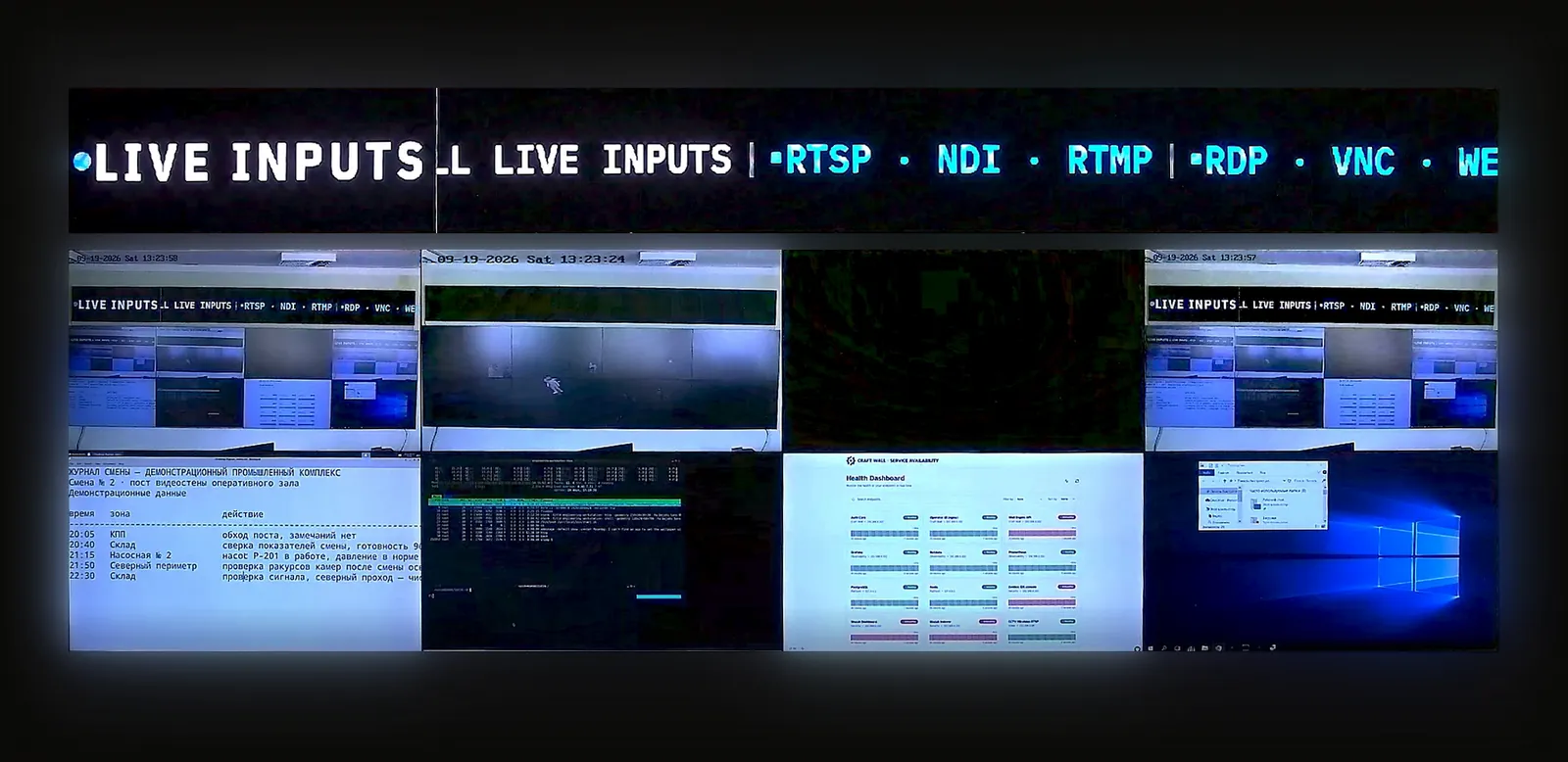
Ściana wideo datacenter badawczego oraz ściana operacji IT uczelni to powierzchnie operacyjne, a nie AV sal dydaktycznych czy oznakowanie skierowane do darczyńców. Użyteczna ściana łączy kondycję klastrów HPC, storage, stan sieci kampusu, kontekst bezpieczeństwa, telemetrię obiektu, zgłoszenia i przepływ obsługi incydentów w jednym wspólnym widoku pomieszczenia dla zespołów IT badawczego i infrastruktury kampusu.
Ściana wideo datacenter badawczego: co należy umieścić na ścianie
Zespoły IT badawczego zwykle potrzebują, aby ściana szybko odpowiadała na jedno pytanie: czy współdzielona platforma jest na tyle sprawna, by badacze mogli dalej pracować? To odróżnia ścianę od ogólnego wyświetlacza datacenter. Powinna pokazywać razem pojemność, obciążenie kolejek, ryzyko storage, stan sieci, status środowiskowy i otwarte incydenty, a nie tylko rotującą serię ładnych wykresów.
- Compute: kolejki schedulera HPC, kondycja węzłów, dostępność GPU, awarie zadań, status klastrów Kubernetes lub wirtualizacji oraz okna serwisowe.
- Storage: kondycja równoległego systemu plików, object storage, status backupów, przepustowość, obciążenie limitów (quota), opóźnienie replikacji i awarie dysków.
- Sieć: rdzeń kampusu, łącza uplink sieci badawczej, łącza Internet2 lub NREN, status firewalla, DNS, tożsamość, VPN i kondycja sieci bezprzewodowej.
- Obiekt: kamery szaf rack, zasilanie, UPS, chłodzenie, wilgotność, detekcja wycieków, alarmy BMS i zlecenia serwisowe.
- Operacje: kolejki zgłoszeń, kalendarz zmian, most incydentowy, status dyżurów oraz widoki briefingu dla kierownictwa lub łącznika ds. badań.
Ściana operacji IT uczelni: NOC kampusu, nie AV sali dydaktycznej
Ściana operacji IT uczelni to kampusowa wersja ściany NOC. Śledzi usługi wpływające na dydaktykę, badania, administrację, akademiki, biblioteki, laboratoria, obiekty sportowe i użytkowników zdalnych. Ta intencja nabywcy różni się od ściany wideo sali dydaktycznej czy AV auli: ściana jest dla operatorów reagujących na awarie, a nie dla wykładowców prezentujących treści.
Najbliższą architekturą towarzyszącą jest architektura referencyjna ściany wideo NOC, ale IT kampusu dodaje większą różnorodność usług: dostawca tożsamości, systemy nauczania, Wi-Fi, informacje studenckie, systemy budynkowe, peering sieci badawczej, bezpieczeństwo fizyczne i operacje w dniu wydarzenia mogą stać się częścią wspólnego obrazu operacyjnego.
Dobór źródeł dla HPC i operacji kampusu
Dobór źródeł to głównie dashboardy w przeglądarce, a nie wideo baseband. Grafana, Prometheus, Zabbix, PRTG, ServiceNow, Jira, narzędzia SIEM, konsole storage, widoki VMS, panele BMS i runbooki zwykle docierają jako aplikacje webowe lub strumienie z kamer RTSP. Przechwytywanie HDMI i IP-KVM są przydatne dla starszych konsol i awaryjnej promocji, ale nie powinny definiować całego projektu.
| Strefa ściany | Typowe źródła | Dlaczego to ważne |
|---|---|---|
| HPC i obliczenia badawcze | Scheduler, GPU, storage, zadania wsadowe, głębokość kolejki, kalendarz zmian | Pokazuje, czy badacze są blokowani przez ryzyko związane z obliczeniami, storage lub utrzymaniem. |
| Sieć kampusu | Przełączniki rdzeniowe, Wi-Fi, DNS, firewall, VPN, tożsamość, peering zewnętrzny | Oddziela lokalne problemy budynku od degradacji usług w skali całego kampusu. |
| Bezpieczeństwo i obiekt | Podsumowanie SIEM, widoki VMS, BMS, zasilanie, chłodzenie, kontrola dostępu, kamery szaf rack | Utrzymuje widoczny kontekst cyber, fizyczny i obiektu podczas incydentu infrastrukturalnego. |
| Przepływ obsługi incydentów | Kolejka zgłoszeń, strona statusu, połączenie konferencyjne, dyżur, briefing kierownictwa | Wiąże ścianę z odpowiedzialnością za reakcję zamiast stawać się pasywnym monitorowaniem. |
Nadzór dostępu, SSO i sterowanie przez API
Uczelnie często mają mieszaną kadrę: centralne IT, IT badawcze, obiekt, bezpieczeństwo, pracownicy studenccy, wykonawcy i dostawcy. Ściana nie powinna sprowadzać tych ról do jednego współdzielonego hasła administratora. Skorzystaj z przewodnika po RBAC, SSO i API ściany wideo, aby określić, kto może przełączać układy, promować źródła, tworzyć nowe źródła, edytować poświadczenia, eksportować dzienniki i wyzwalać presety incydentów.
Sterowanie przez API jest przydatne, gdy narzędzia monitorujące muszą automatycznie wczytać układ incydentu: awaria storage, awaria DNS kampusu, alert bezpieczeństwa, usterka chłodzenia lub duże wydarzenie. Utrzymuj automatyzację ograniczoną do nazwanych presetów i zatwierdzonej promocji źródeł. API nigdy nie powinno stawać się drogą obejścia tożsamości kampusu, kontroli zmian czy własności poświadczeń źródeł.
Dobór ściany wokół źródeł i stref operatorów
Mała sala operacji badawczych może działać z 6-8 wyświetlaczami. Centralna sala IT kampusu może potrzebować 12-24 wyświetlaczy lub równoważnej kanwy LED, ponieważ obsługuje wiele zespołów naraz. Zacznij od przewodnika po doborze i liczbie źródeł ściany wideo: źródła aktywne, źródła w czuwaniu, widoki incydentów, strefy operatorów, promocja KVM, failover i wymagania audytu określają ścianę bardziej niż liczba paneli.
Na potrzeby budżetu zamodeluj pomieszczenie w kalkulatorze TCO ściany wideo przed zakupem stałego kontrolera. Ściany badawcze i kampusowe mają tendencję do gromadzenia źródeł co semestr: nowe dashboardy, nowe laboratoria, nowe budynki, nowe usługi tożsamości i nowe przepływy obsługi incydentów. Model kosztów skalujący się według wejść urządzenia appliance lub abonamentu za wyświetlacz może źle się starzeć, gdy mapa źródeł rośnie.
Gdzie sprawdza się Craft Wall
Craft Wall pasuje do ścian operacji datacenter badawczego i IT uczelni, w których nabywca chce dashboardów w przeglądarce, strumieni z kamer RTSP / NDI, przechwytywania HDMI tam, gdzie potrzebne, promocji IP-KVM, nazwanych układów incydentów, lokalnego sterowania przez operatora, dostępu uwzględniającego role oraz licencji wieczystej na serwerze Linux on-prem. To wspólna warstwa wizualizacji wokół HPC, sieci kampusu, obiektu, bezpieczeństwa i systemów zgłoszeń.
Nie jest głównym schedulerem HPC, SIEM, VMS, BMS, dostawcą tożsamości, platformą ticketingową ani kontrolerem sieci. Te systemy zachowują uprawnienia. Ściana renderuje zatwierdzone widoki, aby zespół widział kontekst międzysystemowy podczas awarii, okien serwisowych i briefingów kierownictwa.
Przeczytaj dalej
Połącz ten przewodnik z architekturą referencyjną NOC, przewodnikiem po ścianie wideo SOC i SIEM, przewodnikiem po doborze ściany wideo, przewodnikiem po RBAC, SSO i API oraz przewodnikiem po ścianie wideo air-gap dla zastrzeżonych środowisk badawczych. Jeśli projekt wciąż porównuje dostawców, skorzystaj z porównania najlepszego oprogramowania ścian wideo.